
On-Page SEO Fundamentals: A Practical Guide for Beginners
Bastian W.
Co-Founder of Keupera
Your pages do not rank because Google is confused, not because your business is weak. That is the hard truth behind most beginner SEO problems. You may have solid products, useful content, and real expertise, but if your pages send mixed signals, search engines struggle to understand what each page is about and when to show it.
That is where on-page SEO fundamentals for beginners matter. This is the part of SEO you control directly: your titles, headings, copy, internal links, images, and page structure. Get these basics right and your site becomes easier to crawl, easier to understand, and more likely to earn qualified traffic. Not magic. Just clearer signals.
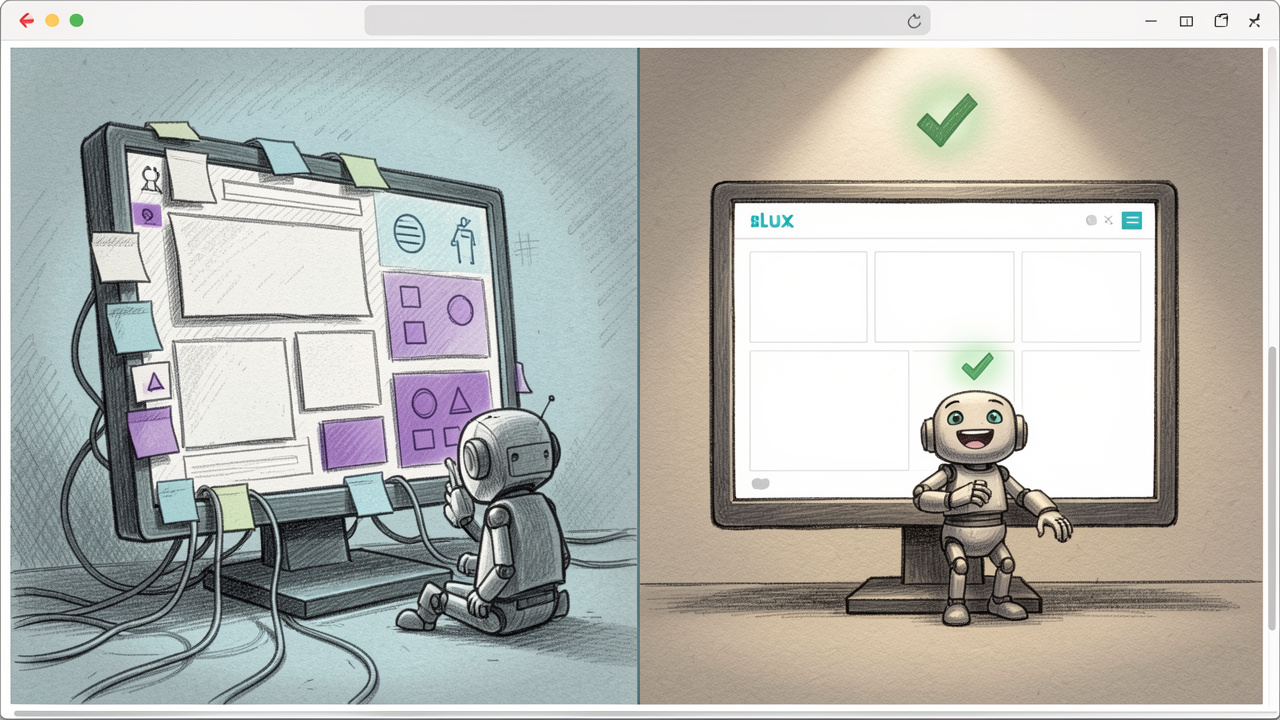
For startup teams, developers, and marketers, this is especially valuable because on-page SEO compounds. One clean page becomes a pattern. One good template scales across dozens or hundreds of URLs. Fix the fundamentals once, then benefit every time you publish.
What Is On-Page SEO for Beginners?
On-page SEO is the practice of optimizing individual web pages so they rank better in search engines and deliver a better experience to users. It covers the visible content on the page, the HTML elements behind it, and the way the page fits into the wider structure of your site.
Think of it this way, technical SEO helps search engines access your site, off-page SEO helps build trust around it, and on-page SEO tells search engines what the page actually means. If a page has a vague title, weak headings, thin content, and random internal links, Google has to guess. If the page is focused, structured, and useful, Google does not need to guess.
For beginners, this is good news. You do not need a giant link-building budget or a full SEO platform to start. You need clarity. Each page should target a clear topic, answer a real search intent, and make that intent obvious through its content and structure.
Why On-Page SEO Matters So Much
Search engines are trying to match pages to intent. When someone searches for a beginner guide, a comparison, or a product page, Google wants to return the result that best fits that need. On-page SEO helps your page qualify for that match.
It also improves outcomes beyond rankings. Better page titles improve click-through rates. Better headings improve readability. Better internal links help users find the next step. Better content structure keeps visitors engaged longer. In other words, on-page SEO is not only about search engines. It improves the experience for actual people.
That is why strong on-page SEO often supports growth across teams. Marketing gets more discoverability. Content teams get clearer briefs. Developers get cleaner templates. Product and growth teams get pages that convert better because the message is easier to follow.
On-Page SEO vs. Other Types of SEO
Beginners often lump everything into one big SEO bucket. That creates confusion fast. It helps to separate the pieces.
SEO Type | What It Focuses On | Example |
On-page SEO | Content and page-level optimization | Titles, headings, copy, internal links |
Technical SEO | Crawlability, indexing, and site performance | XML sitemaps, page speed, canonical tags |
Off-page SEO | Authority and trust from external sources | Backlinks, mentions, digital PR |
These areas overlap, but they are not the same. A slow site with broken indexing can hurt even the best page. At the same time, a technically sound site with weak page content will still struggle. Beginners usually get the fastest wins from on-page improvements because they are visible, practical, and easier to control.
Key Aspects of On-Page SEO for Beginners
If you are learning the fundamentals of on-page SEO, focus on the elements that carry the most meaning. You do not need to optimize fifty things at once. You need to get the important signals right.
Search Intent Comes First
Before you write a title or tweak a heading, ask one question, what does the searcher actually want?
This is where many beginners go wrong. They pick a keyword, use it a few times, and assume the page is optimized. But if the keyword implies a tutorial and your page reads like a sales pitch, the page will struggle. If the keyword implies a product comparison and your page offers a generic definition, same problem.
Search intent usually falls into a few common patterns: informational, navigational, commercial, or transactional. A query like "what is on-page SEO" is informational. A query like "best SEO tool for startups" leans commercial. A query like "buy SEO audit software" is transactional. Your page should match the intent behind the query, not just the words inside it.
Title Tags That Earn Clicks
Your title tag is one of the strongest on-page signals. It tells search engines what the page is about, and it heavily influences whether users click your result.
A good title tag is specific, relevant, and readable. It includes the main topic naturally, usually near the beginning, while still sounding like something a human would want to click. Stuffing multiple keyword variations into one title usually makes it worse, not better.
For example, a page titled "On-Page SEO Guide for Beginners: Simple Steps to Optimize Your Pages" is clear and useful. A title like "On-Page SEO, Beginner SEO, SEO Fundamentals, SEO Tips" is messy and weak. One communicates purpose. The other looks like a tag cloud.
Meta Descriptions Support the Click
A meta description is not usually a direct ranking factor, but it still matters. It gives you another chance to explain the value of the page in the search result.
Write it like ad copy, but keep it honest. Tell the user what they will get. If the page teaches the basics, say that. If it includes a checklist or examples, mention it. The goal is simple, increase the odds that the right person clicks.
This matters more than many beginners realize. You are not just competing to rank. You are competing to win attention on a crowded results page.
Headings Create Structure and Meaning
Headings help readers scan and help search engines understand the hierarchy of the page. Your H1 should clearly state the main topic. Your H2s and H3s should break the page into logical sections.
Good headings are specific. They guide the reader forward. They also make the page easier to maintain because teams can quickly see the structure and identify gaps.
Do not use headings only for styling. That is a common mistake on modern websites, especially when design systems blur the line between visual text and semantic structure. A heading should represent a real section of content, not just a large font.

Content Quality Is the Core Signal
You can optimize every tag on the page, but if the content is thin, generic, or unhelpful, you will hit a ceiling. Search engines increasingly reward pages that satisfy the user, not pages that simply repeat a phrase.
High-quality content does a few things well. It answers the query clearly. It covers the topic with enough depth to be useful. It avoids filler. It uses examples where needed. And it helps the reader take the next step.
For beginners, this often means writing less fluff and more substance. If your page explains on-page SEO, show what that means in practice. Talk about titles, headings, URLs, images, links, and content depth. Make the page worth bookmarking.
Keyword Usage, Natural Beats Forced
Yes, keywords still matter. But the role of keywords has matured. You are not trying to mention the exact phrase a certain number of times. You are trying to make the topic unmistakable.
Use your main keyword naturally in the title, primary heading, opening section, and relevant subheadings where it fits. Then support it with related language. In an article about beginner on-page SEO, that might include phrases like title tags, internal links, search intent, meta description, URL structure, and image alt text.
This is how modern optimization works. You build topical clarity, not robotic repetition. If a sentence sounds unnatural, fix the sentence. Readability wins.
URLs Should Be Clean and Descriptive
A good URL is short, readable, and connected to the page topic. It should help both users and search engines understand the page before they even load it.
A clean URL might look like a simple summary of the page. A messy URL packed with parameters, dates, or unclear words adds friction. Most of the time, shorter is better, as long as it still describes the content.
This is also a consistency issue for growing teams. Once poor URL patterns spread across a site, cleanup becomes painful. Set a clean standard early.
Internal Links Distribute Value and Context
Internal linking is one of the most underrated on-page SEO fundamentals for beginners. It helps search engines discover pages, understand relationships between topics, and pass authority across your site.
It also improves the user journey. If someone is reading a beginner guide on on-page SEO, a natural next step might be a page on keyword research, technical SEO basics, or content audits. Internal links connect those steps.
The key is relevance. Link where it helps. Use anchor text that describes what the reader will find. Avoid vague phrases like "click here" when a more specific description would be more useful.
Image Optimization Helps More Than You Think
Images support usability, but they also affect SEO through page speed, accessibility, and context. Large, uncompressed images can slow the page down. Missing alt text removes useful context for screen readers and search engines.
Alt text should describe the image in a straightforward way if the image adds meaning. It is not a place to cram keywords. If the image is decorative, the treatment may differ depending on your implementation, but the principle is the same, prioritize clarity and accessibility.
For content teams, image optimization often gets ignored because it feels secondary. It is not. On slower pages or image-heavy templates, it can make a noticeable difference.
User Experience Signals Support SEO Performance
On-page SEO is not only about classic tags. It is also about how usable the page feels. If your page is hard to read, cluttered with pop-ups, or slow to load, users leave. That hurts engagement and limits results.
Readability matters. So does mobile layout. So does visual hierarchy. A clean page with logical sections, clear spacing, and direct copy keeps people moving. A chaotic page leaks attention.
This is where SEO and product thinking align. The best-performing pages usually feel intentional. They load fast, answer quickly, and make the next action obvious.
How to Get Started With On-Page SEO
The easiest way to begin is not to optimize your whole site at once. Pick one important page and improve it with discipline. Learn the pattern, then repeat it.
Start With a Single Primary Topic
Every page needs a clear job. Choose one primary topic or keyword theme for the page. Not five. Not a vague cluster of loosely related ideas. One main focus.
If a page tries to rank for everything, it usually ranks for nothing meaningful. A beginner guide should be a beginner guide. A product page should be a product page. A comparison page should be a comparison page. Precision beats ambition here.
Review What Already Ranks
Before rewriting your page, look at the current top results for your target topic. This shows you what search engines already consider relevant. You will quickly spot patterns in format, depth, and intent.
Maybe the top results are all step-by-step guides. Maybe they are concise explainers. Maybe they are category pages. That does not mean you copy them. It means you understand the standard you need to meet, then find a clearer or more useful way to deliver value.
This simple habit saves time. It keeps you from building a page that answers the wrong question.
Optimize the Core Elements in Order
Do the basics first. That sequence keeps the process manageable and prevents random edits.
Define the topic and intent.
Write a strong title and H1.
Improve the page structure with clear H2s and H3s.
Expand or tighten the content so it fully answers the query.
Add relevant internal links and review images, URLs, and metadata.
That is enough to meaningfully improve many pages. You do not need a giant checklist to get started. You need a repeatable workflow.
Use a Simple Quality Filter
As you edit, pressure-test the page with a few plain questions. Does the page answer the main query fast? Is it obvious what the page is about? Are the headings useful? Does the content say anything concrete? Would you trust this page if you landed on it from Google?
This kind of review is powerful because it forces honesty. Many pages are technically optimized but strategically weak. They have the right tags and the wrong substance. The fix is usually not another plugin. It is better information and sharper structure.
Common Beginner Mistakes to Avoid
Most on-page SEO mistakes are not advanced. They are basic execution errors repeated at scale.
Mistake | Why It Hurts | Better Approach |
Keyword stuffing | Makes copy awkward and weakens readability | Use the topic naturally and add related terms |
Vague headings | Reduces clarity for users and search engines | Write headings that describe real sections |
Thin content | Fails to satisfy search intent | Add depth, examples, and practical value |
Ignoring internal links | Misses context and navigation opportunities | Link to relevant supporting and related pages |
Optimizing for bots only | Creates poor user experience | Write for people first, structure for search engines second |
The pattern is clear. Bad on-page SEO usually comes from forcing tactics instead of improving communication. Good on-page SEO makes the page easier to understand for both systems and humans.
Build Templates, Not One-Off Fixes
If you work at a startup or on a fast-moving team, this is where you get leverage. Do not just fix one page manually and move on. Turn what worked into a standard.
That might mean a blog template with cleaner heading hierarchy. It might mean title tag guidelines for landing pages. It might mean internal linking rules inside your CMS workflow. When on-page SEO becomes part of the publishing process, results become more consistent.
This is especially important for developers and data teams supporting marketing. A small structural improvement in templates can remove dozens of recurring SEO errors. One smart system, not endless cleanup.
Measure What Changes
You do not need enterprise tooling to track progress, but you do need feedback. Watch impressions, clicks, average position, and engagement on the pages you optimize. Compare before and after over a reasonable period.
Not every change produces instant movement. Search performance takes time. But patterns will emerge. You will see which pages gain visibility, which titles earn better click-through rates, and which content formats perform better for your audience.
That is how beginners stop guessing. You test, observe, refine, and repeat.
A Practical Beginner Workflow You Can Use This Week
On-page SEO becomes much easier when you reduce it to a simple routine. Pick one page that matters, ideally a page already getting some impressions but underperforming on clicks or rankings. Those are often the easiest wins.
Read the page as if you have never seen it before. Check whether the title clearly promises value. Check whether the opening explains the topic fast. Check whether the headings lead the reader through the subject logically. Then compare it with the search results it is trying to compete with. Most weaknesses become obvious quickly.
After that, tighten the page with focus. Remove repetitive sentences. Add missing context. Improve weak subheads. Add one or two internal links that genuinely help. Compress oversized images if needed. Clean up the meta description. Then publish and monitor.
This is not glamorous work. It is effective work. And effective work wins in SEO.
Conclusion
The fundamentals of on-page SEO for beginners are not complicated, but they are decisive. Clear topics, strong titles, useful headings, satisfying content, clean URLs, relevant internal links, and a solid user experience do most of the heavy lifting. Get those right and your pages become easier to rank and more useful to real visitors.
Your next step is simple, choose one page, define its search intent, and optimize it properly. Then do the same for the next page. Start small. Be consistent. On-page SEO rewards teams that make clarity a habit.
Learn more about SEO and how it differs from GEO and AI SEO.